 Camtasia Studio 20.0.7.24015
Screenshots of Camtasia Studio
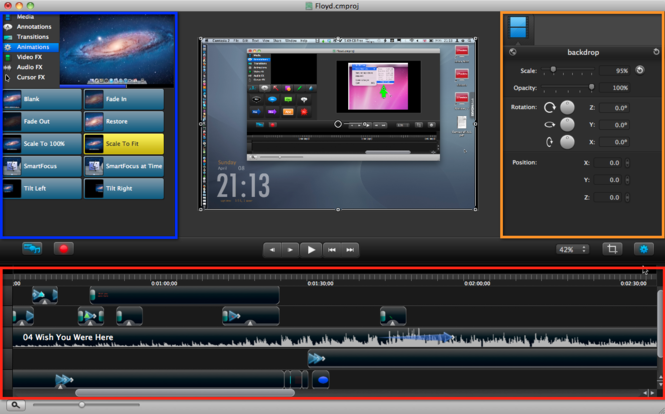
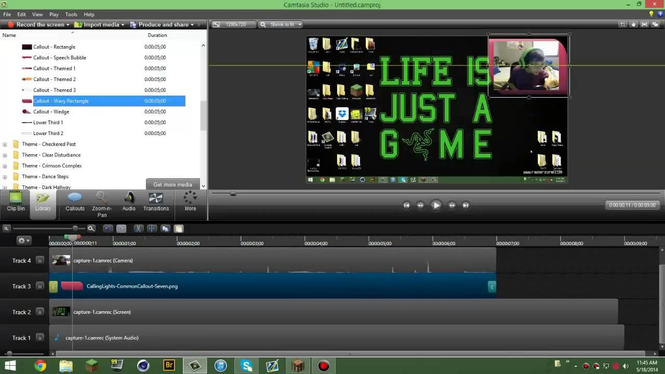
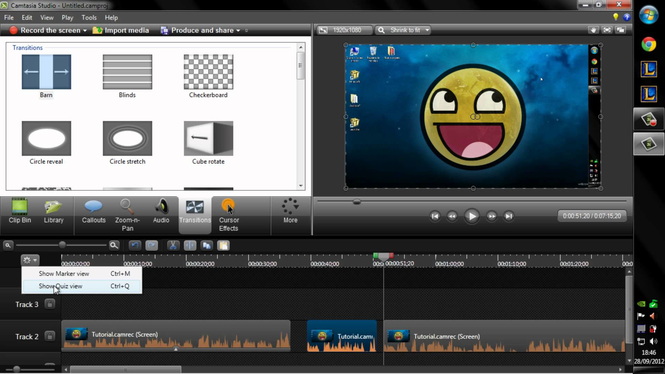
Camtasia Studio Editor's Review
Create computer oriented, instructional and training based videos quickly and easily with this awesome Windows video tool.
I create training materials all the time. Part of what I do for my day job occasionally requires me to train end users in some kind of computer based process or procedure. It doesn't happen all that often, but when it does, I'm glad I have tools like Camtasia Studio. It’s a screencast tool for Windows.
Creating a great screencast happens in three simple steps: Record, Edit and Share.
Camtasia Studio’s flexible recording options allow you to capture a full screen or a window or region. You can add in music tracks, a spoken, vocal track, or your computer's audio. You can also include picture-in-picture video with your web camera. If you're using PowerPoint to give a presentation that you want to record for use by invitees who couldn't attend the initial presentation, Camtasia's toolbar inside PowerPoint makes it easy to record your presentations, either live or from your desk. TechSmith's exclusive SmartFocus technology keeps track of where the action happens on your computer screen during your recording. It then produces a video that zooms in on the parts you need to show.
Once you have your content recorded, Camtasia Studio allows you to spruce it up. You can easily create callouts by adding a graphic over your video to direct the attention of your viewers. You can also link to an external webpage or jump to a part of the video. If you're stuck for the right graphic to use, Camtasia Studio comes stocked with professionally-designed assets you can drag-and-drop into your video. You can also the store your callouts, title slides, and other assets for re-use and sharing later.
After you have your screencast created, the final step is sharing it with your audience. You can share to YouTube and Screencast.com, TechSmith's video hosting service. You can also produce videos in a variety of formats including, MP4, FLV/SWF, M4V, AVI, WMV, MOV, RM, Animated GIF and MP3 (for audio only).
Pros: Easy to use and export content, SmartFocus, included graphic assets
Cons: Fluid video will require a decent amount of RAM and a modern processor, video conversion or rendering may make your PC processor-bound until the process completes.
Conclusion: TechSmith's Camtasia Studio is a must have if you do any kind of presentations or training that you want to quickly and easily repeat on demand. The app and its included tools are easy to use and make the whole process fun.
Camtasia Studio Publisher's Description
Camtasia lets you record a video of what’s on your computer screen. Use it to make lessons, tutorials, or product demos. Turn your screen recordings into compelling videos with Camtasia’s video editing tools, animations, and effects.
Record whatever part of your screen you need, down to the pixel. Camtasia’s precise crosshairs make it simple to capture...
Other Languages
Look for Similar Items by Category
Feedback
- If you need help or have a question, contact us
- Would you like to update this product info?
- Is there any feedback you would like to provide? Click here
Beta and Old versions
Popular Downloads
-
 Kundli
4.5
Kundli
4.5
-
 Macromedia Flash 8
8.0
Macromedia Flash 8
8.0
- FastSum 1.9
-
 Cool Edit Pro
2.1.3097.0
Cool Edit Pro
2.1.3097.0
-
 FastSum Standard Edition
1.6
FastSum Standard Edition
1.6
-
 My Talking Tom
1.0
My Talking Tom
1.0
-
 Cheat Engine
6.8.1
Cheat Engine
6.8.1
-
 Hill Climb Racing
1.0
Hill Climb Racing
1.0
-
 Mozilla Firefox
108.0...
Mozilla Firefox
108.0...
-
 C-Free
5.0
C-Free
5.0
-
 Tom VPN
2.2.8
Tom VPN
2.2.8
-
 Vector on PC
1.0
Vector on PC
1.0
-
 Windows XP Service Pack 3
Build...
Windows XP Service Pack 3
Build...
- HP LaserJet 1100 Printer Drivers 4.3.2.5
-
 Iggle Pop
1.0
Iggle Pop
1.0
-
 Netcut
2.1.4
Netcut
2.1.4
-
 Grand Theft Auto: Vice City
1.0
Grand Theft Auto: Vice City
1.0
-
 Opera browser
91.0.4516.65...
Opera browser
91.0.4516.65...
-
 GeoGebra
5.0.44
GeoGebra
5.0.44
-
 Minecraft
1.10.2
Minecraft
1.10.2